
 English
 العربية
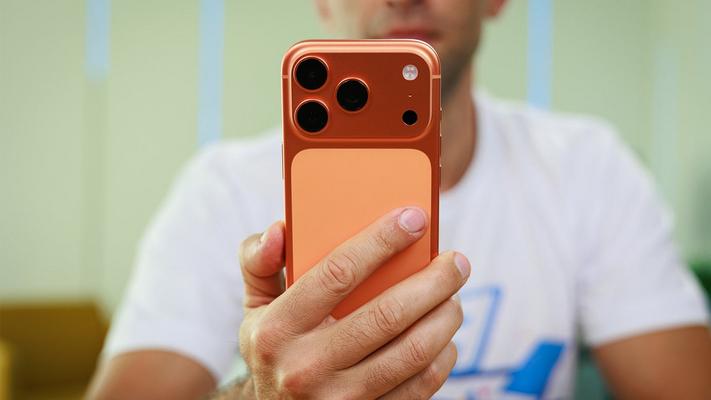
The iPhone 17 Pro battery life delivers approximately 5 hours and 20 minutes of screen time on a full charge based on real-world daily usage testing. With Apple's largest battery ever in a smaller Pro model at 3,988 mAh for the global version, users can expect a comfortable full day of use with predictable power drain throughout.
Apple's Battery Evolution: From iPhone 13 Pro to iPhone 17 Pro
Battery anxiety has plagued iPhone users for years, but Apple has been quietly making significant strides in addressing this concern. Looking at the evolution of battery sizes in the smaller Pro iPhone lineup tells an impressive story of gradual but meaningful improvement.
Here's how the battery capacity has evolved over recent generations:
- iPhone 13 Pro: 3,095 mAh (baseline)
- iPhone 14 Pro: 3,200 mAh (+3.4% increase)
- iPhone 15 Pro: 3,274 mAh (+2.3% increase)
- iPhone 16 Pro: 3,582 mAh (+9.4% increase)
- iPhone 17 Pro US model: 4,252 mAh (+18.7% increase)
- iPhone 17 Pro Global model: 3,988 mAh (+11.3% increase)
The difference between the US and global models stems from the eSIM-only design in the American version, which eliminates the physical SIM tray and frees up internal space for a larger battery. When you compare the iPhone 17 Pro to the iPhone 13 Pro, there's been a nearly 37% increase in battery capacity—a substantial leap that should translate to noticeably better endurance.
But as any experienced smartphone user knows, specifications don't always translate directly to real-world improvements. Software optimization, display efficiency, processor power management, and user behavior all play crucial roles in determining actual battery performance.
My Real-World iPhone 17 Pro Battery Testing Method
Rather than relying on synthetic benchmarks or controlled lab conditions, I decided to track my actual daily usage over an extended period. After switching from an iPhone Air to the iPhone 17 Pro as my primary device, I meticulously recorded battery drain patterns across five representative days.
The testing conditions were straightforward: normal, everyday use with no artificial constraints. This meant plenty of social media scrolling, messaging, occasional video streaming, photography, and all the typical activities that define modern smartphone usage. No battery-saving modes were enabled, and the phone was used naturally throughout each day.
At the time of recording, the device showed 100% battery health with 52 battery cycles completed—essentially peak performance conditions for any iPhone.
Five Days of Battery Data: The Raw Numbers
Here's exactly what I recorded during my tracking period:
Sunday
Battery drain: 100% | Screen time: 5 hours 14 minutes
This was a heavy usage day with extended screen time. Despite draining the entire battery, the phone still delivered over five hours of active display time.
Monday
Battery drain: 70% | Screen time: 4 hours 16 minutes
A more moderate day with typical workday usage patterns. The remaining 30% battery at day's end provided comfortable headroom.
Tuesday
Battery drain: 75% | Screen time: 4 hours 44 minutes
Similar to Monday, with slightly more active screen time. The battery scaled predictably with usage.
Wednesday
Battery drain: 85% | Screen time: 4 hours 20 minutes
A heavier day that nearly matched Thursday's drain despite less screen time, suggesting some background activity or more demanding app usage.
Thursday
Battery drain: 93% | Screen time: 5 hours 30 minutes
The most demanding day of the tracking period, with extensive screen time pushing the battery nearly to its limits.
Average Screen Time Analysis
Crunching these numbers reveals some useful averages that help predict daily performance:
- Average screen time per 100% charge: 5 hours and 20 minutes
- Average screen time per 80% drain: 4 hours and 40 minutes
- Screen time per 10% battery: Approximately 40 minutes
These figures paint a picture of predictable, reliable battery performance. Unlike some smartphones that seem to hold their charge well in the morning but plummet unexpectedly in the afternoon, the iPhone 17 Pro demonstrated consistent, linear drain patterns throughout each day.
What Apps Consume the Most Power?
My usage breakdown revealed some expected and some surprising power consumers. Social media applications consistently ranked among the top battery drains, which aligns with their constant background refresh, video autoplay, and location services usage.
The primary power-hungry categories included:
- Social media apps: Instagram, TikTok, and Twitter/X consistently appeared at the top of the battery usage charts
- Video streaming: YouTube and Netflix sessions noticeably impacted battery drain
- Camera and photo editing: Heavy photography sessions with editing showed measurable impact
- Navigation: GPS-intensive apps like Google Maps drew significant power during active use
- Messaging: WhatsApp and iMessage, while efficient individually, accumulated drain through frequent use
How Does This Compare to Previous iPhones?
Coming from the iPhone Air, which prioritizes thinness over battery capacity, the difference was immediately noticeable. The iPhone Air's sleek profile comes at the cost of battery endurance, making the jump to the iPhone 17 Pro feel like a significant upgrade in this regard.
Compared to the iPhone 16 Pro, the improvement is more modest but still meaningful. The 11.3% larger battery in the global model (or 18.7% in the US version) translates to roughly an extra hour of screen time under similar usage conditions.
For users upgrading from iPhone 14 Pro or earlier, the difference becomes dramatic. The combination of a substantially larger battery, more efficient display technology, and improved processor power management delivers noticeably better all-day endurance.
Factors That Affect Your Results
It's important to note that individual battery life will vary based on several factors:
Display Brightness
The iPhone 17 Pro's display is capable of extreme brightness levels for outdoor visibility, but cranking this up significantly impacts battery drain. My testing used adaptive brightness in typical indoor and outdoor conditions.
5G vs. 4G Usage
5G connectivity, while faster, consumes more power than 4G LTE. Users in areas with spotty 5G coverage may experience worse battery life as the phone constantly searches for stronger signals.
Background App Refresh
Having numerous apps refreshing content in the background adds up. Disabling this for non-essential apps can improve endurance.
Location Services
Apps with always-on location access drain power continuously. Reviewing and restricting location permissions can yield measurable improvements.
Temperature
Extreme cold or heat affects battery chemistry and performance. Usage in temperature extremes will show different results than moderate conditions.
Tips for Maximizing iPhone 17 Pro Battery Life
Based on my testing, here are practical recommendations for extending battery life:
- Enable optimized battery charging: This feature learns your charging patterns and reduces wear on the battery over time
- Use Low Power Mode strategically: Enabling this when battery drops below 30% can significantly extend remaining usage time
- Reduce motion effects: Disabling unnecessary animations saves small amounts of power that add up
- Manage notification frequency: Reducing push notifications decreases screen wake events and background processing
- Use Wi-Fi when available: Wi-Fi typically uses less power than cellular data for similar tasks
- Review battery usage regularly: iOS's built-in battery usage tracker helps identify unexpected power hogs
The Verdict: Does the Bigger Battery Deliver?
After months of daily use, the answer is a definitive yes. The iPhone 17 Pro's larger battery translates to meaningful real-world improvements in endurance. The phone consistently lasts through a full day of moderate to heavy use without requiring midday charging—something that wasn't always possible with earlier Pro models.
The predictable drain patterns are perhaps even more valuable than the raw endurance numbers. Knowing you'll get approximately 40 minutes of screen time per 10% battery makes it easy to gauge whether you need to charge before heading out or can confidently leave the charger behind.
For users coming from older iPhones, the upgrade is substantial. For those considering the iPhone 17 Pro against alternatives like the iPhone 17 Pro Max or non-Pro models, the smaller Pro now offers competitive battery life without the bulk of the larger device.
Is it the longest-lasting iPhone ever? In the smaller Pro form factor, absolutely. Does it match the Max models? Not quite, but the gap has narrowed considerably. For most users, the iPhone 17 Pro now delivers battery life that removes endurance concerns from the daily equation—and that's exactly what we've been asking Apple to achieve.
Frequently Asked Questions
How long does the iPhone 17 Pro battery last on a full charge?
Based on real-world testing, the iPhone 17 Pro delivers approximately 5 hours and 20 minutes of screen time on a full charge with normal daily use including social media, messaging, and occasional video streaming.
What is the battery size of the iPhone 17 Pro?
The iPhone 17 Pro features a 4,252 mAh battery in the US model (eSIM only) and a 3,988 mAh battery in the global model with physical SIM support. Both represent significant increases over previous generations.
How does iPhone 17 Pro battery compare to iPhone 16 Pro?
The iPhone 17 Pro offers an 18.7% larger battery in the US model and 11.3% larger in the global model compared to the iPhone 16 Pro's 3,582 mAh capacity, translating to approximately one additional hour of screen time.
Is the iPhone 17 Pro battery enough to last all day?
Yes, for most users with moderate to heavy usage, the iPhone 17 Pro comfortably lasts a full day without requiring midday charging. Battery drain scales predictably throughout the day.
Why is the US iPhone 17 Pro battery bigger than the global version?
The US iPhone 17 Pro is eSIM-only, eliminating the physical SIM card tray. This freed-up internal space allowed Apple to fit a larger battery cell in the US model.
What drains iPhone 17 Pro battery the most?
Social media apps, video streaming, camera usage, navigation with GPS, and screen brightness are the primary battery consumers. Background app refresh and constant 5G connectivity also contribute to faster drain.
How can I improve iPhone 17 Pro battery life?
Enable optimized battery charging, use Low Power Mode when needed, manage background app refresh settings, restrict unnecessary location services, prefer Wi-Fi over cellular when available, and keep screen brightness at reasonable levels.