
 English
 العربية
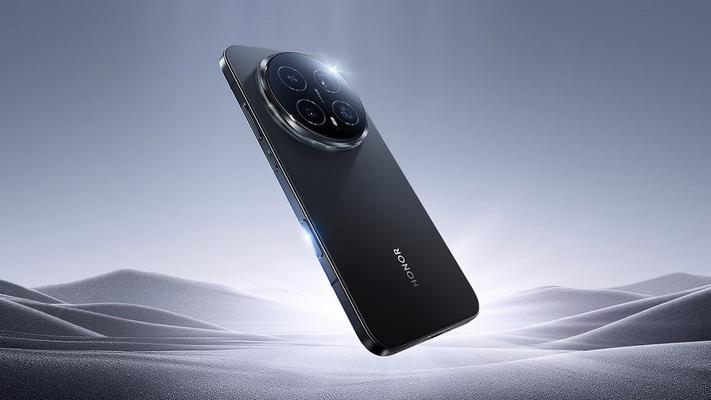
Fingerprint scanners have long been the standard biometric security feature on Android smartphones, but when compared to Apple's 3D Face ID technology, they increasingly feel like yesterday's solution. While fingerprint unlock remains fast and functional, the absence of secure 3D facial recognition on most Android flagships represents a deliberate choice by manufacturers—one that prioritizes aesthetics over comprehensive security options.
The Reality of Biometric Security on Android in 2025
Every time users switch from an iPhone to an Android device, one thing becomes immediately apparent: the biometric experience differs significantly. Apple's Face ID uses advanced 3D depth-sensing technology that maps over 30,000 invisible dots onto your face, creating a mathematical model that's virtually impossible to fool with photographs or masks.
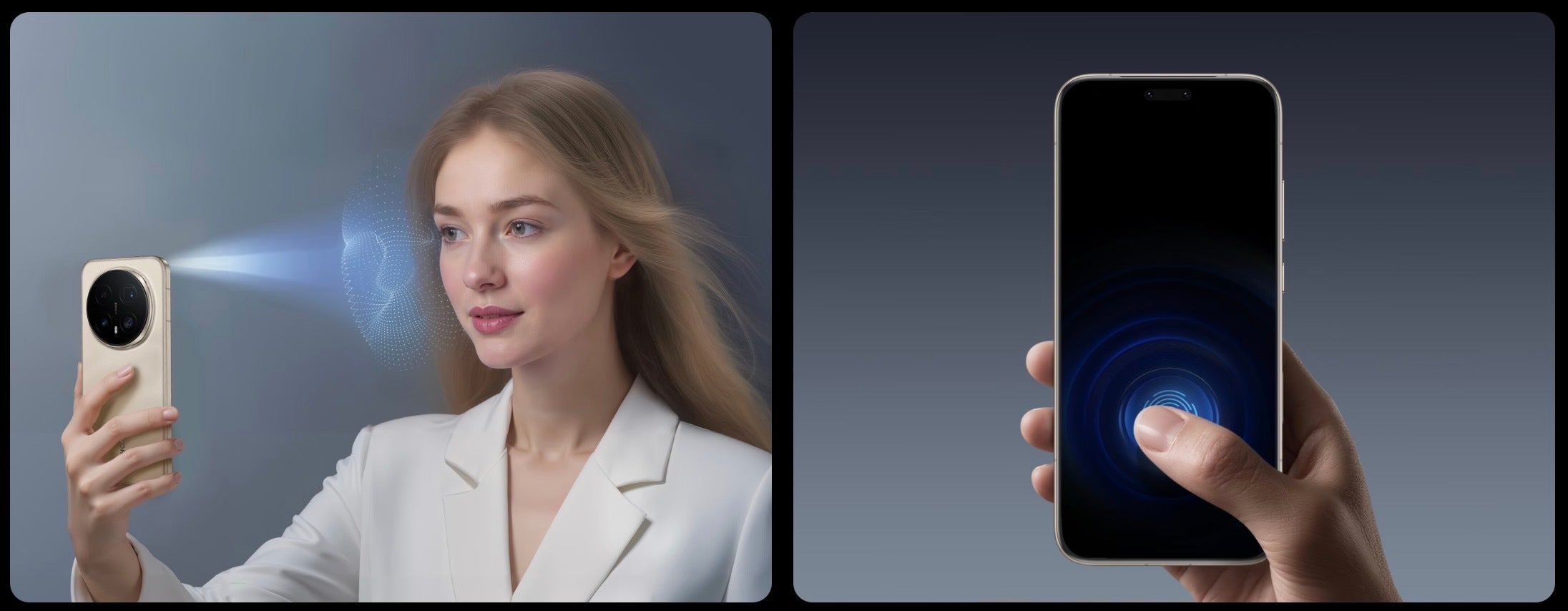
Meanwhile, most Android phones rely almost exclusively on fingerprint scanners—whether under-display ultrasonic sensors, optical readers, or side-mounted capacitive scanners. This isn't because the technology doesn't exist for Android; it's a conscious design decision that manufacturers continue to make.
Why Don't Samsung and Google Offer 3D Face ID?
The answer largely comes down to design philosophy and cost considerations:
- Display aesthetics: Implementing 3D facial recognition requires additional sensors, including infrared cameras and dot projectors, which would necessitate a larger notch or punch-hole cutout
- Manufacturing costs: 3D depth-sensing hardware adds significant expense to device production
- Marketing priorities: Companies like Samsung emphasize screen-to-body ratios and minimal bezels as selling points
- Fingerprint sensor improvements: Brands argue that modern ultrasonic fingerprint sensors provide adequate security
However, calling this a weak trade-off is putting it mildly. Users are essentially sacrificing a more versatile and arguably more secure authentication method for marginally smaller display cutouts.
Can Android Phones Have Both Fingerprint and 3D Face Unlock?
Absolutely—and some already do. One brand, Honor, has been stubbornly championing this combination, proving that dual biometric systems are entirely achievable on Android smartphones.
Looking back at smartphone history reveals an interesting fact: Android devices offered this capability years ago. The Huawei Mate 20 Pro from 2018 featured both an in-display fingerprint scanner and 3D facial recognition. That was nearly eight years ago, demonstrating that this technology isn't new or particularly challenging to implement.
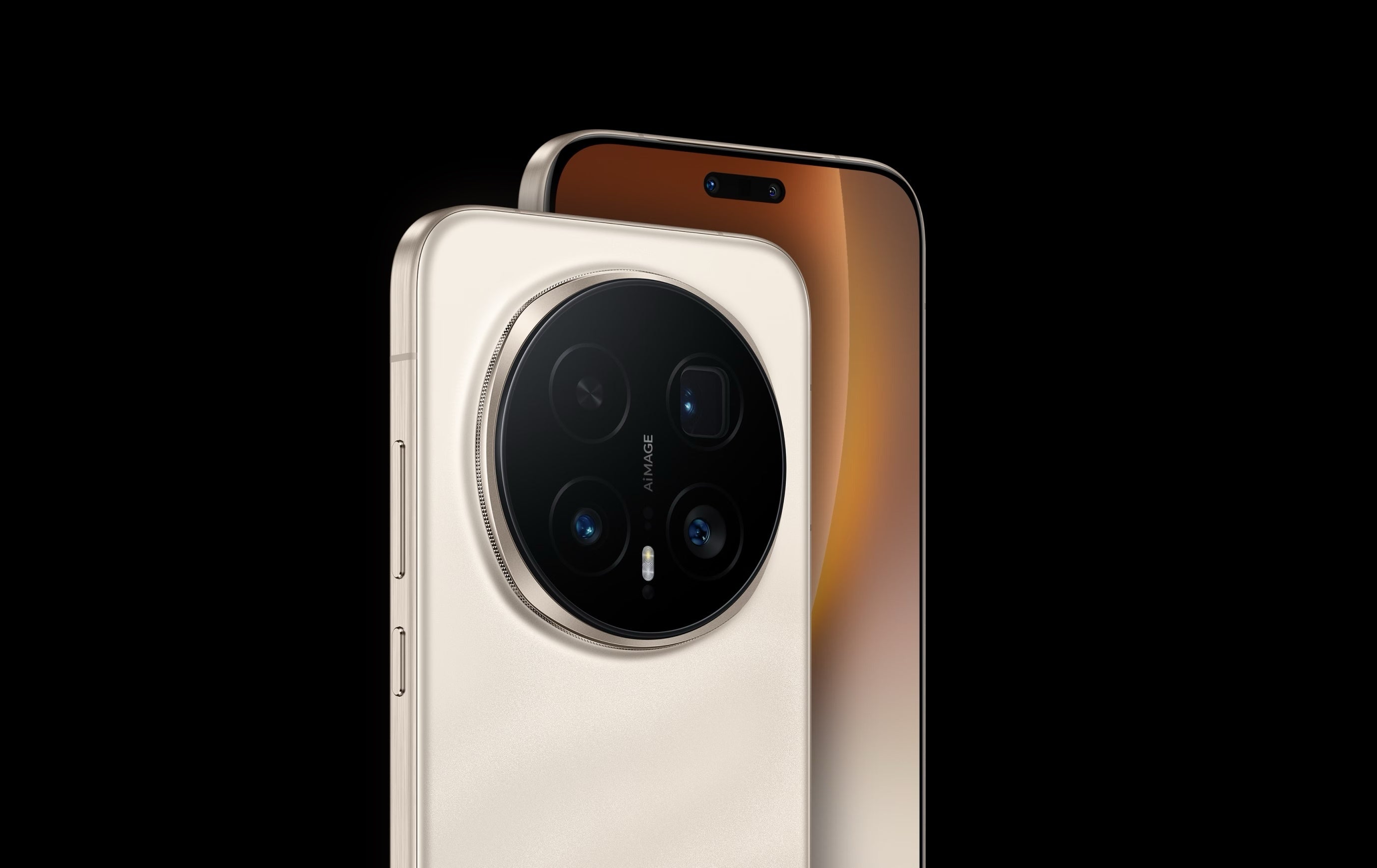
Honor's continued commitment to this approach, evidenced by devices like the Magic 8 Pro, proves there are no insurmountable technical barriers. The question isn't whether it's possible—it's why more manufacturers aren't following suit.
The Problem with 2D Face Unlock on Android
Some might argue that Android phones already offer face recognition, and technically that's correct. However, there's a crucial distinction between 2D and 3D facial recognition systems:
2D Face Recognition Limitations:
- Security vulnerabilities: Can potentially be fooled by photographs or video of the user's face
- Poor low-light performance: Struggles or fails completely in dark environments
- Not approved for payments: Most banks and payment services don't trust 2D facial recognition for transactions
- Inconsistent reliability: Success rates vary significantly based on lighting conditions and angles
3D Face Recognition Advantages:
- Depth mapping: Creates a three-dimensional map that can't be replicated with flat images
- Works in complete darkness: Infrared technology operates independently of visible light
- Payment approved: Secure enough for banking apps and contactless payments
- Consistent performance: Reliable across virtually all conditions
Google has made impressive strides with machine learning to improve 2D face unlock on recent Pixel phones, achieving security levels adequate for payments. However, these devices still lack the dedicated depth-sensing hardware that makes 3D systems truly foolproof.
Security Should Never Require Choosing Convenience
Let's be absolutely clear: this criticism isn't an attack on fingerprint scanners. Modern fingerprint technology, particularly ultrasonic sensors, offers excellent speed, reliability, and security. Many users genuinely prefer fingerprint authentication for its tactile feedback and muscle memory convenience.
However, face recognition has its own advantages—especially for accessibility purposes or when hands are wet, dirty, or gloved. The frustration lies in being forced to choose one or the other when technology clearly allows for both.
This criticism applies equally to iPhones, which abandoned Touch ID entirely on their flagship models in favor of Face ID only. Apple's approach means users who prefer fingerprint authentication have no option on premium devices.
The Ideal Biometric Setup in 2025:
- High-quality ultrasonic or optical fingerprint scanner
- 3D depth-sensing facial recognition
- User choice for preferred unlock method
- Both options approved for secure payments
- Seamless switching between methods based on context
Which Android Phones Currently Offer Dual Biometric Security?
If dual biometric authentication matters to you, options exist but remain limited:
Honor: The most consistent champion of dual biometrics, with devices like the Magic series offering both fingerprint and 3D face unlock.
Historical options: Huawei's Mate series previously offered this combination before market restrictions limited availability in many regions.
Google Pixel: While offering both fingerprint and face unlock, the facial recognition relies on enhanced 2D technology rather than true 3D depth sensing.
Why This Matters for Everyday Users
Beyond the technical specifications, the practical implications affect daily smartphone use:
- Wet fingers: Coming out of the shower or washing dishes makes fingerprint unlock unreliable
- Winter weather: Gloves render fingerprint scanners useless, while face unlock works perfectly
- Screen protectors: Some protectors interfere with under-display fingerprint readers
- Accessibility needs: Users with certain conditions affecting their fingerprints benefit enormously from face unlock alternatives
- Masks and face coverings: Situations requiring face coverings make fingerprint scanners the more practical choice
Having both options means never being locked out of your device due to environmental or situational factors.
The Future of Biometric Security on Smartphones
Industry trends suggest potential changes on the horizon:
- Under-display Face ID: Apple has been rumored to be working on technology that would eliminate the notch while retaining 3D facial recognition
- Improved AI-based recognition: Machine learning continues to enhance 2D systems, potentially closing the security gap
- In-display fingerprint expansion: Larger scanning areas that work across more of the screen surface
- Multi-factor continuous authentication: Devices that constantly verify identity through multiple biometric signals
Until these advancements become standard, users seeking comprehensive biometric security must carefully research their options before purchasing.
Making the Right Choice for Your Needs
When selecting a new smartphone, consider your biometric priorities:
Choose fingerprint-focused devices if:
- You frequently wear face coverings
- You prefer tactile confirmation of unlock
- You often unlock your phone while it's lying flat on a surface
Choose face recognition-focused devices if:
- Your hands are frequently wet or dirty
- You want instant unlock just by looking at your phone
- Accessibility features are important to you
Choose dual biometric devices if:
- You want maximum flexibility
- Different contexts require different solutions
- You refuse to compromise on convenience or security
Frequently Asked Questions
Is fingerprint unlock less secure than 3D Face ID?
Modern ultrasonic fingerprint scanners offer comparable security to 3D Face ID. Both are considered secure enough for payment authentication. The main difference lies in convenience and versatility rather than raw security levels.
Why don't more Android phones have 3D Face ID?
Manufacturers prioritize minimizing display cutouts and reducing production costs. Implementing 3D facial recognition requires additional sensors that would increase both the notch size and device price.
Can 2D face unlock on Android be fooled by a photo?
Basic 2D face recognition systems can potentially be fooled by high-quality photographs. However, advanced implementations like Google's Pixel Face Unlock use machine learning to detect spoofing attempts, significantly improving security.
Which Android brand offers the best dual biometric security?
Honor consistently implements both fingerprint scanning and 3D facial recognition across their flagship devices, making them the leading choice for users wanting comprehensive biometric options.
Will Samsung ever add 3D Face ID to Galaxy phones?
Samsung previously experimented with iris scanning on devices like the Galaxy S9 but discontinued it. There's no current indication they plan to implement Apple-style 3D Face ID, preferring to focus on improving fingerprint technology.
Does Face ID work in complete darkness?
Yes, 3D Face ID systems use infrared light to map your face, functioning perfectly regardless of ambient lighting conditions. This is one of its key advantages over camera-based 2D solutions.
Why did Apple remove Touch ID from flagship iPhones?
Apple determined that Face ID offered superior security and user experience, eliminating the home button to maximize screen space. However, Touch ID remains available on iPhone SE models and iPad devices for users who prefer fingerprint authentication.